Sites on the map
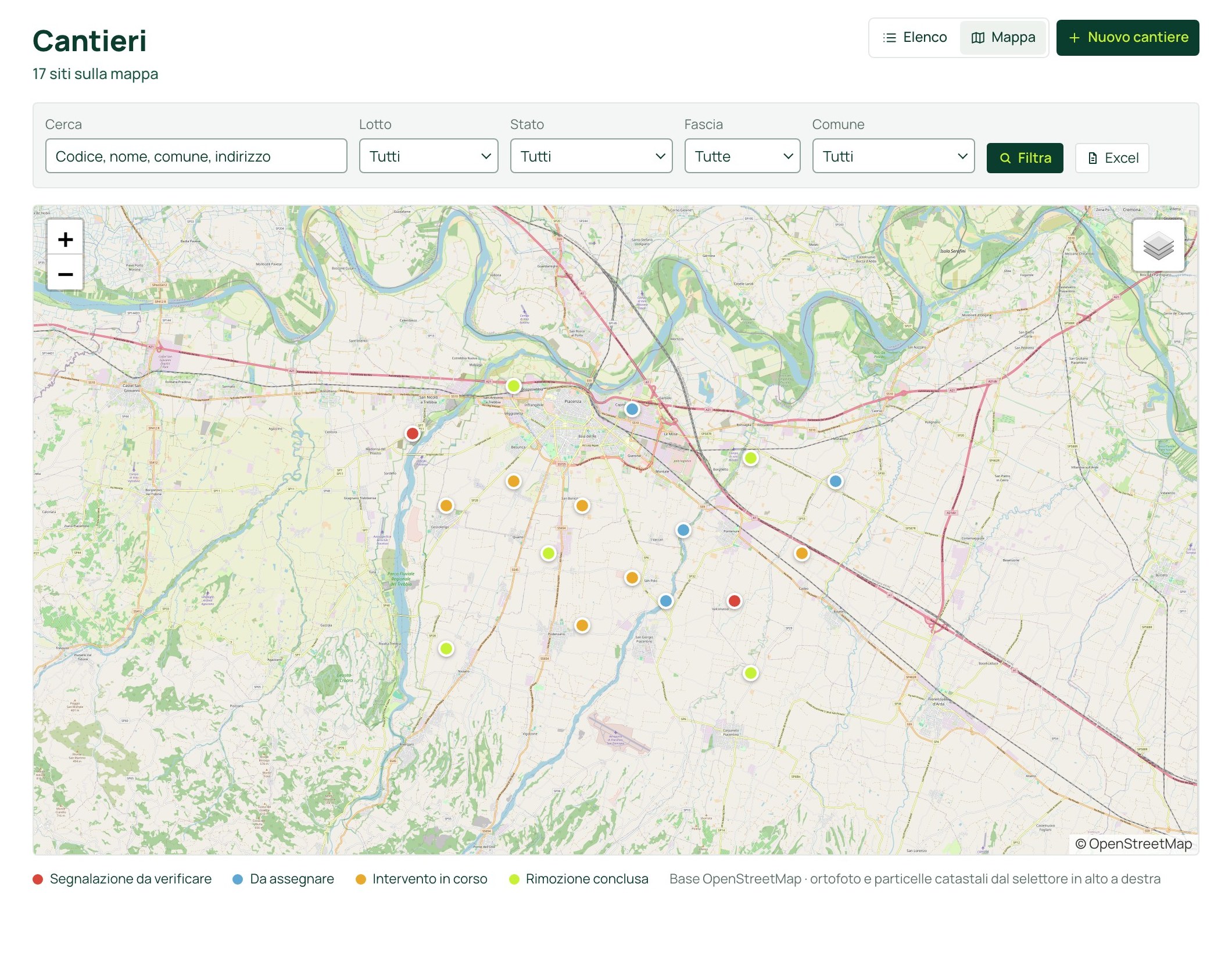
Every site in the contract with its status, on map, orthophoto or cadastre.
Sites, lots, contracting authority
Every site in the contract, in a single portal.
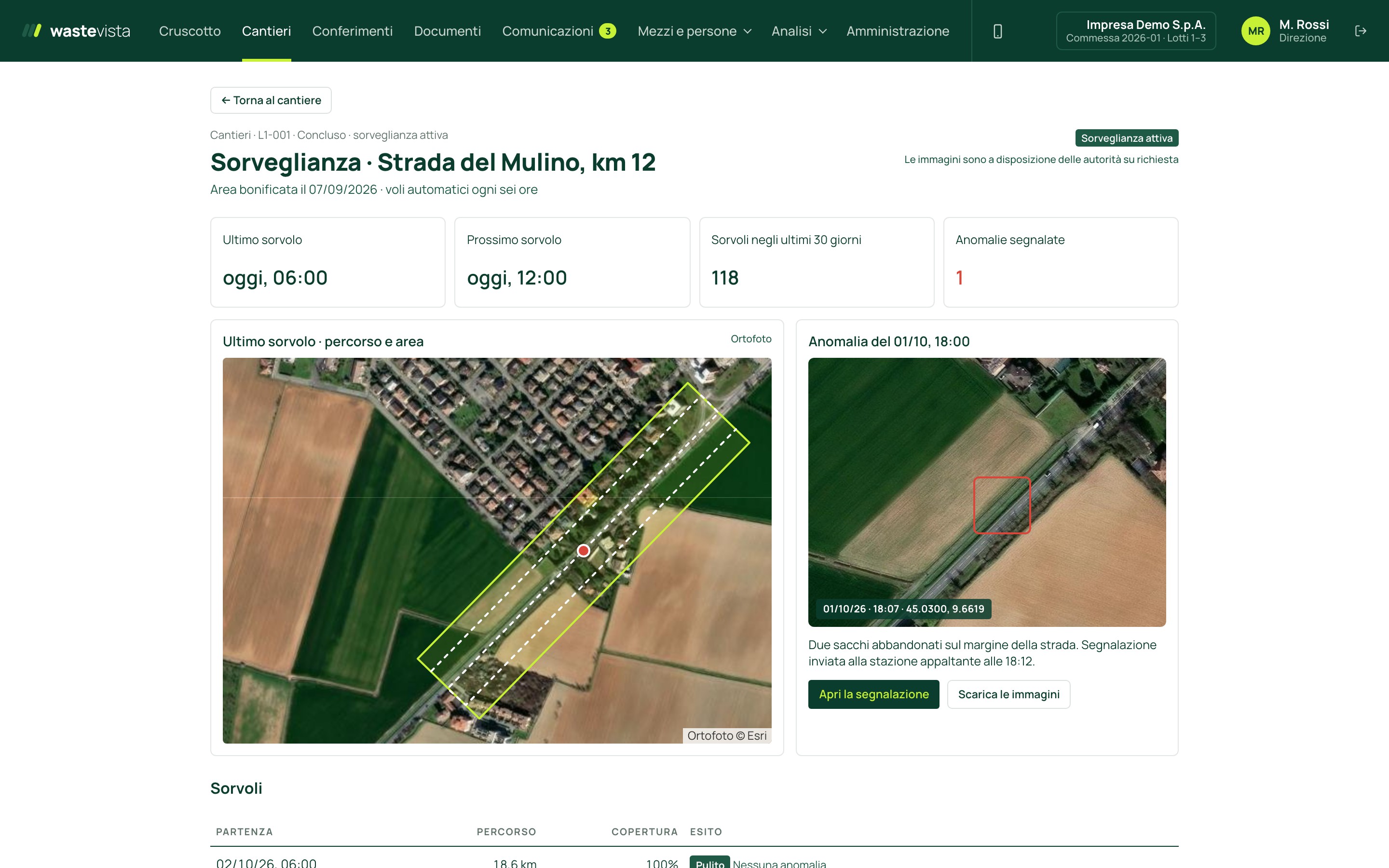 LIVE PORTAL · SAMPLE DATA
The screens show the portal with sample data. No real client data.
wastevista® is the portal through which the contractor manages its contracts and makes every intervention legible, tracking each status: from the first survey to surveillance after remediation.
Inside the portal
These are the real screens, with sample data. Each section opens from the menu, and every user sees only what their role allows.
Every site in the contract with its status, on map, orthophoto or cadastre.
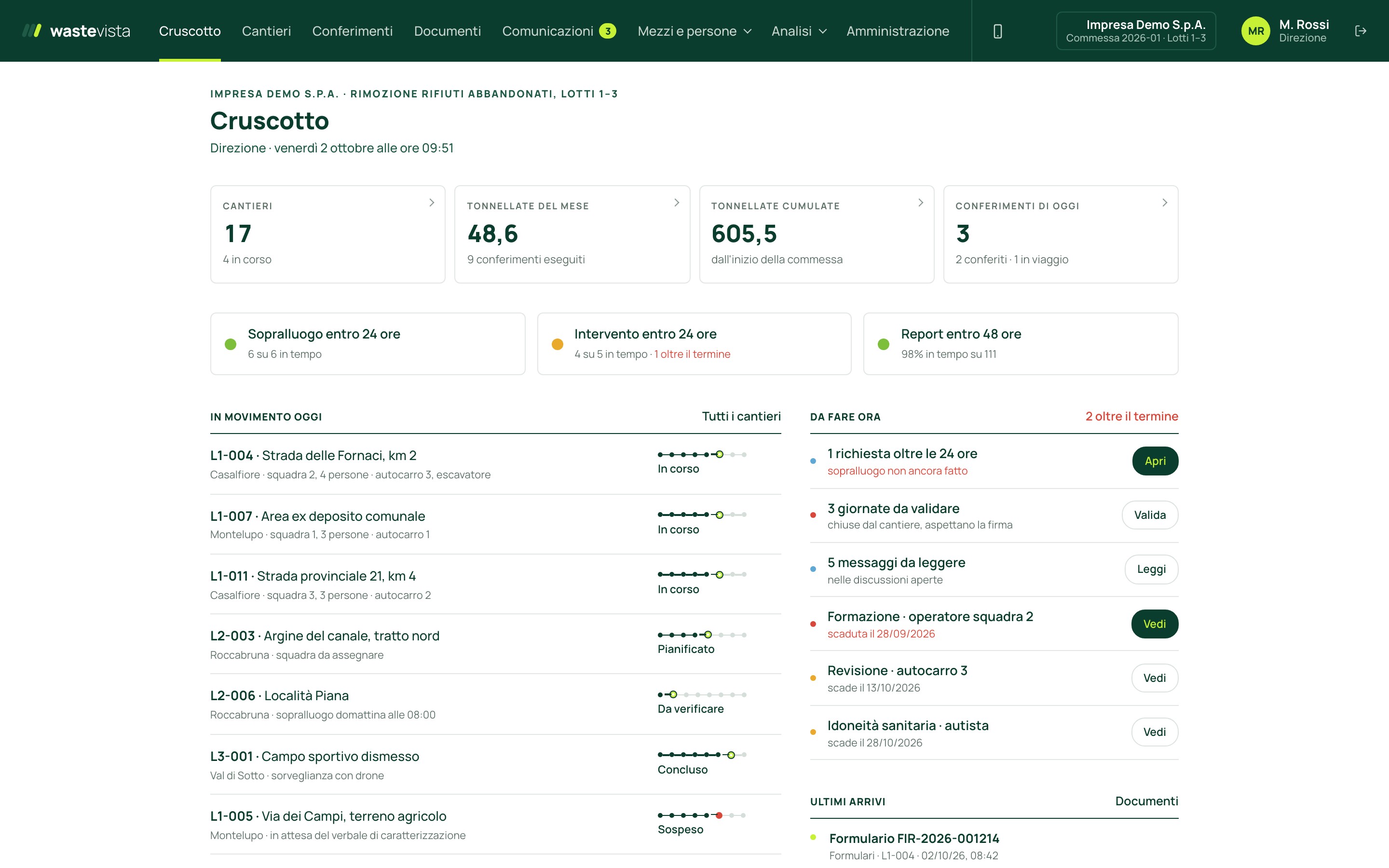
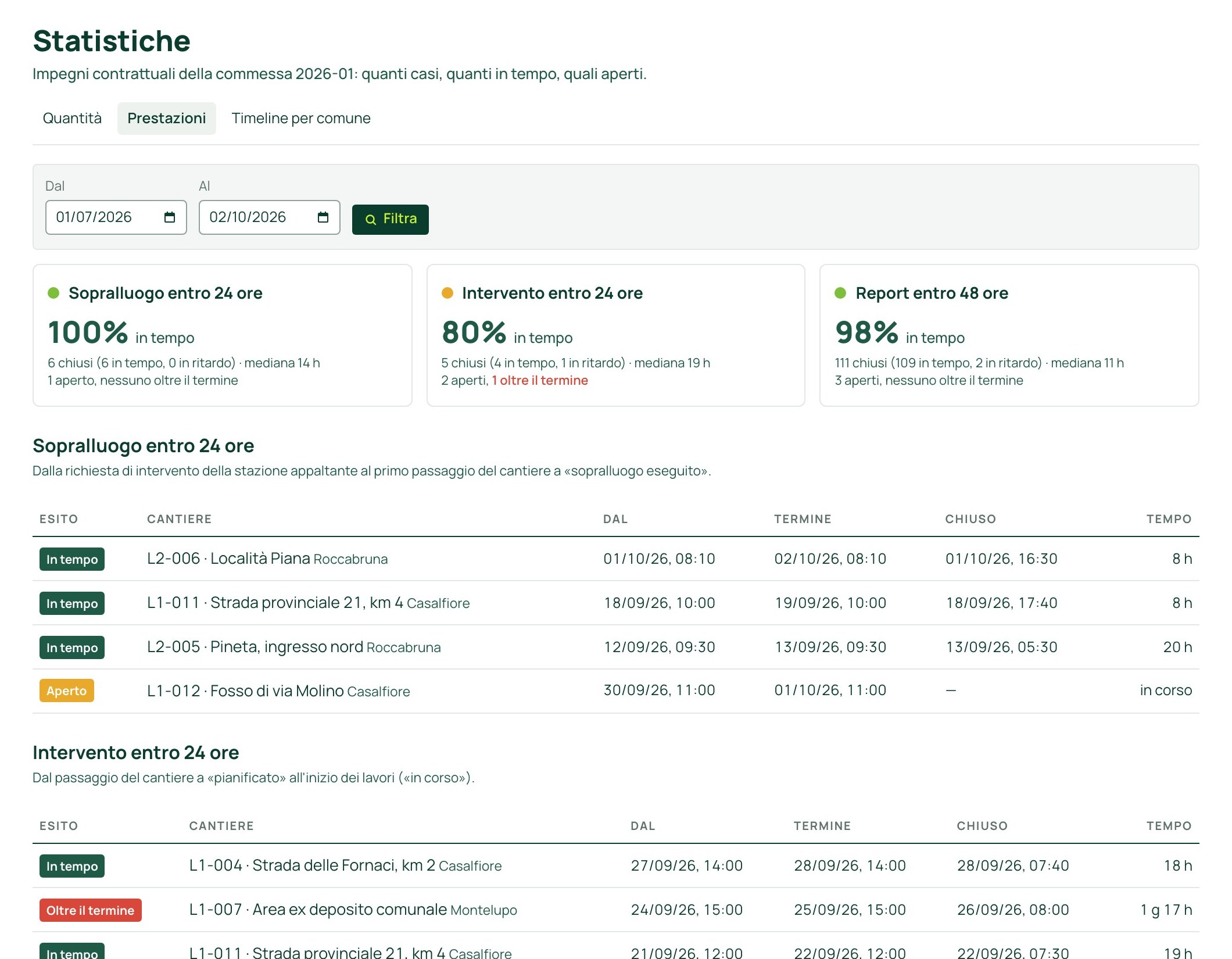
Inspection and intervention within 24 hours, report within 48: how many on time, which are open.
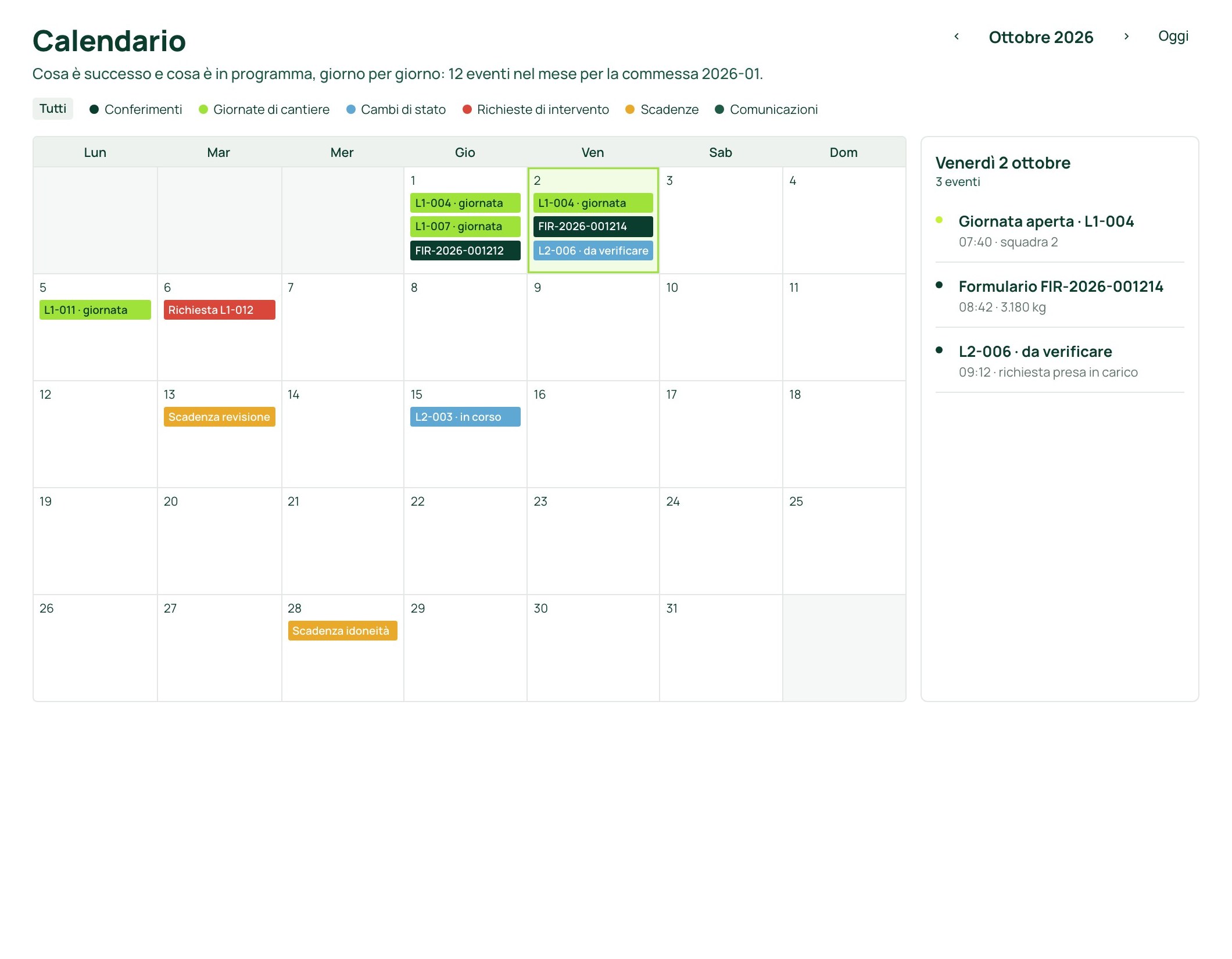
Workdays, deliveries, status changes and deadlines, day by day.
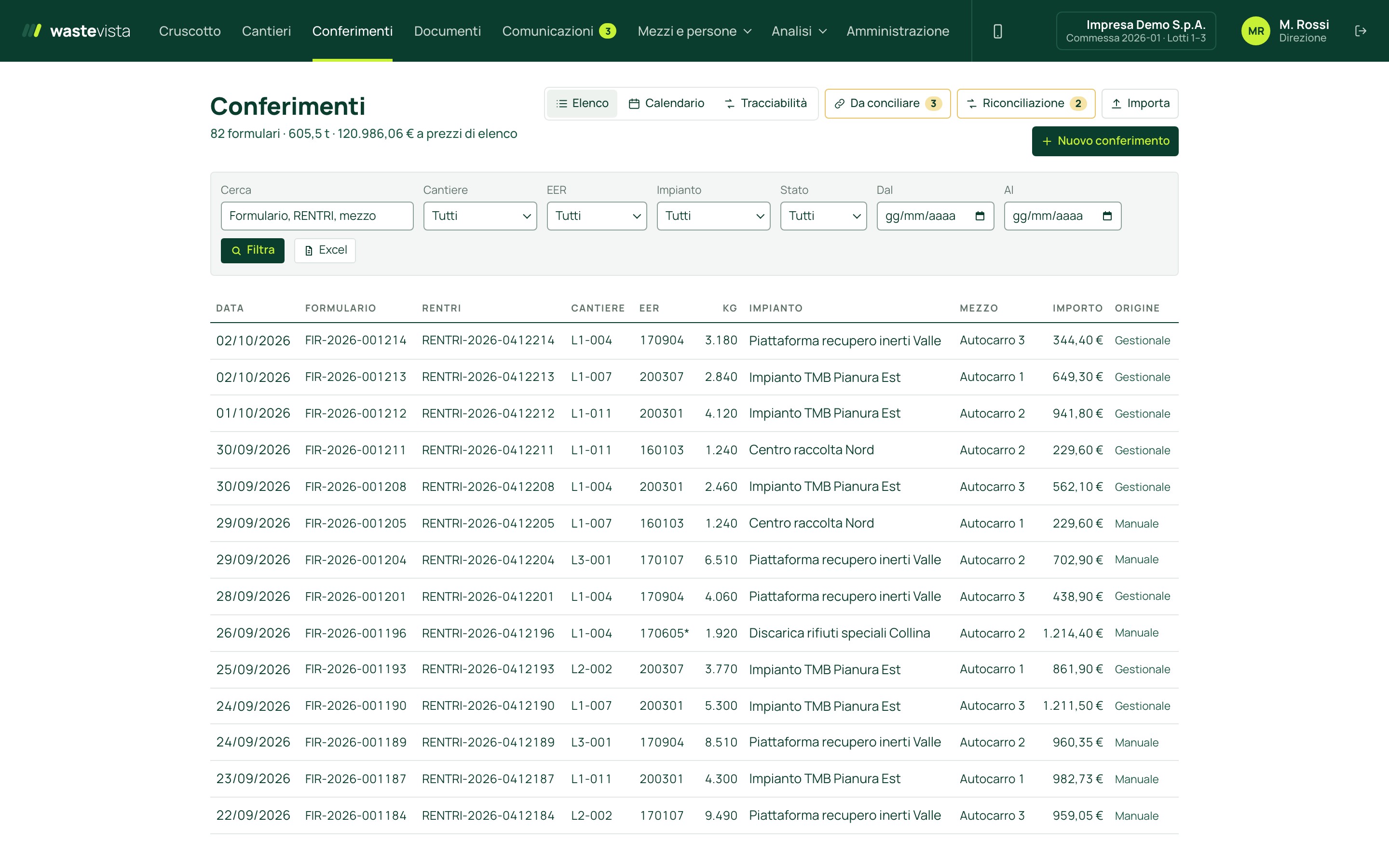
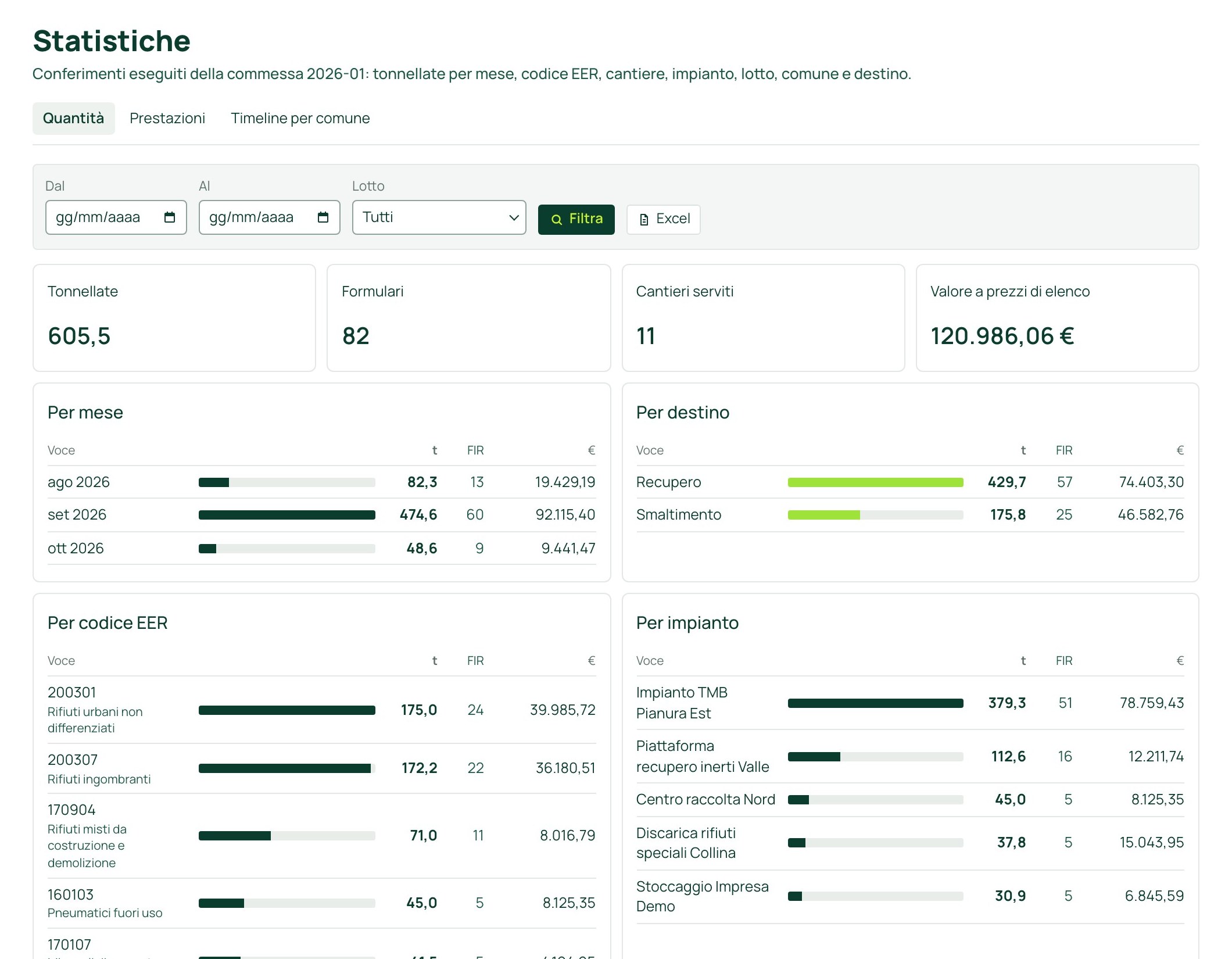
Tonnes by month, waste code, plant and municipality.
Eight sections. Every opening by the contracting authority is recorded.
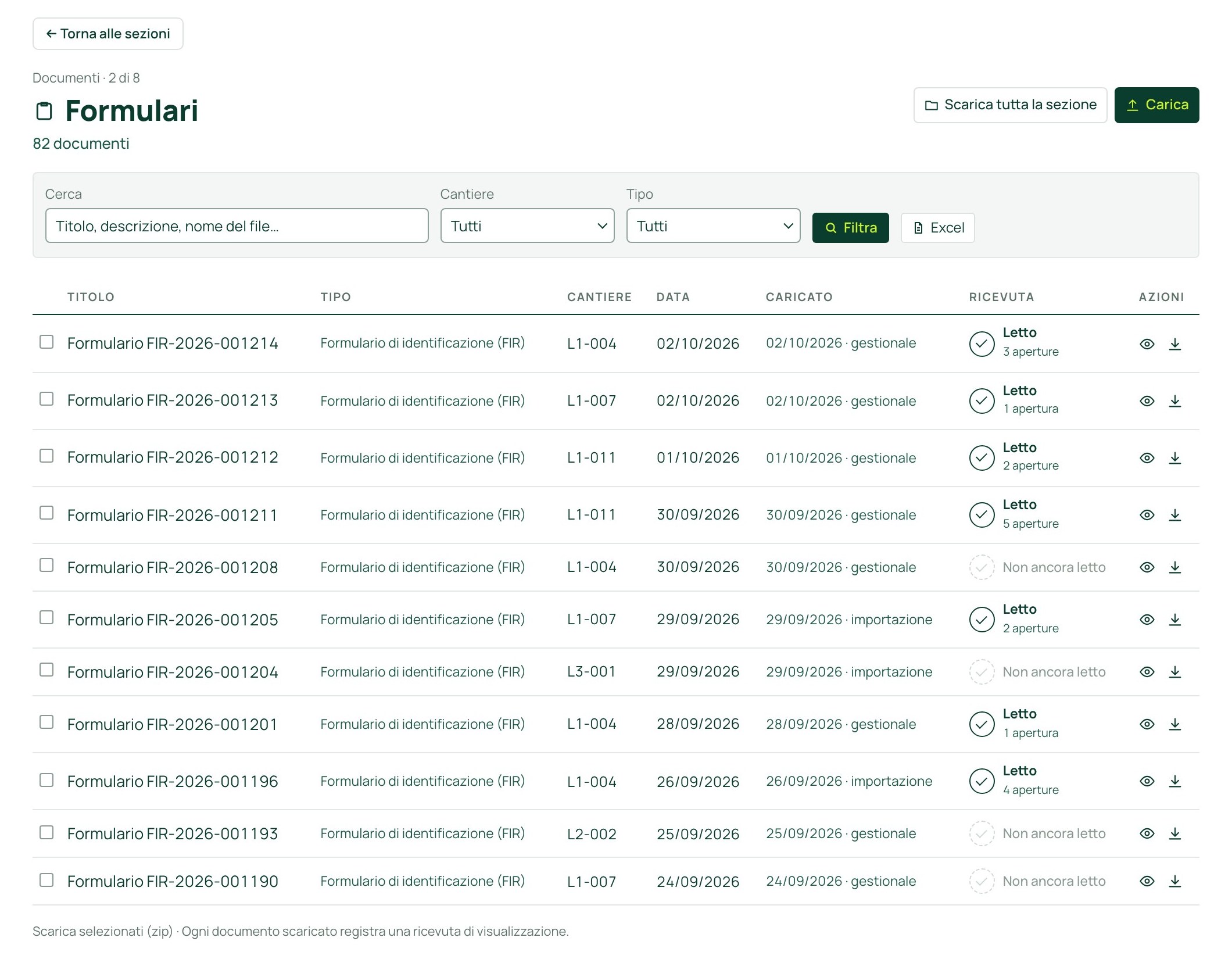
The contracting authority reports a site and the worksite is created in the portal.
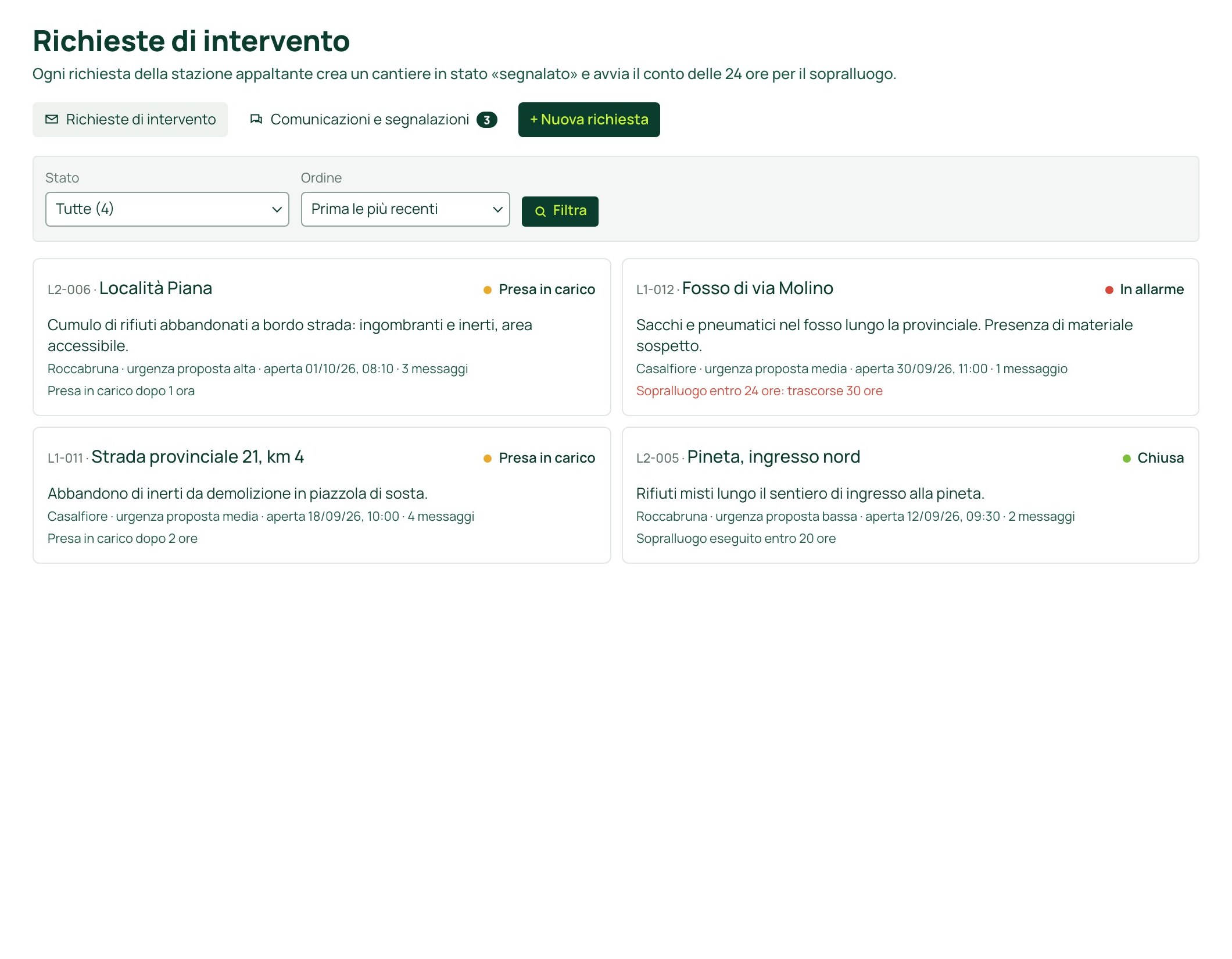
Every entry, download and access leaves a trace in the audit log.
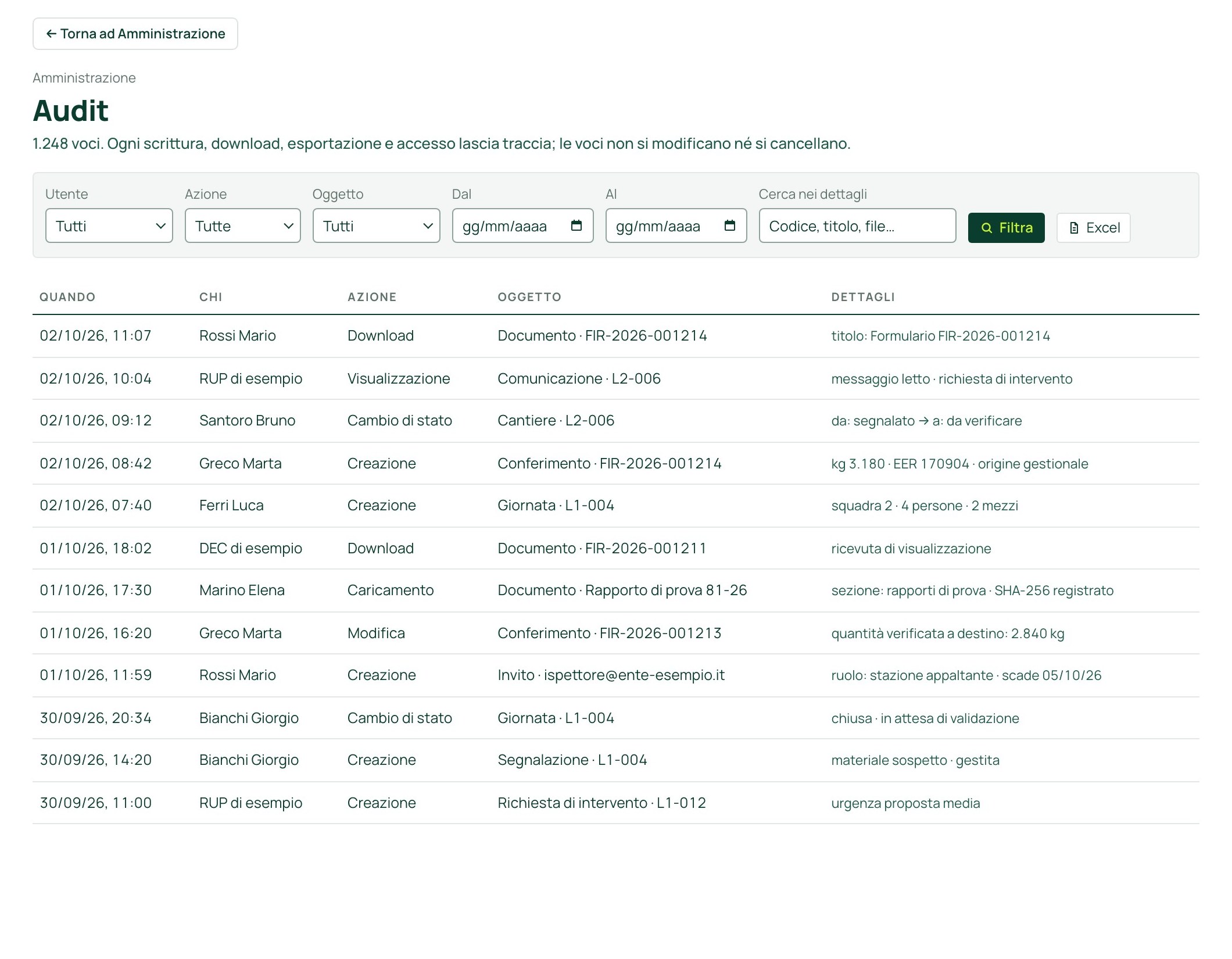
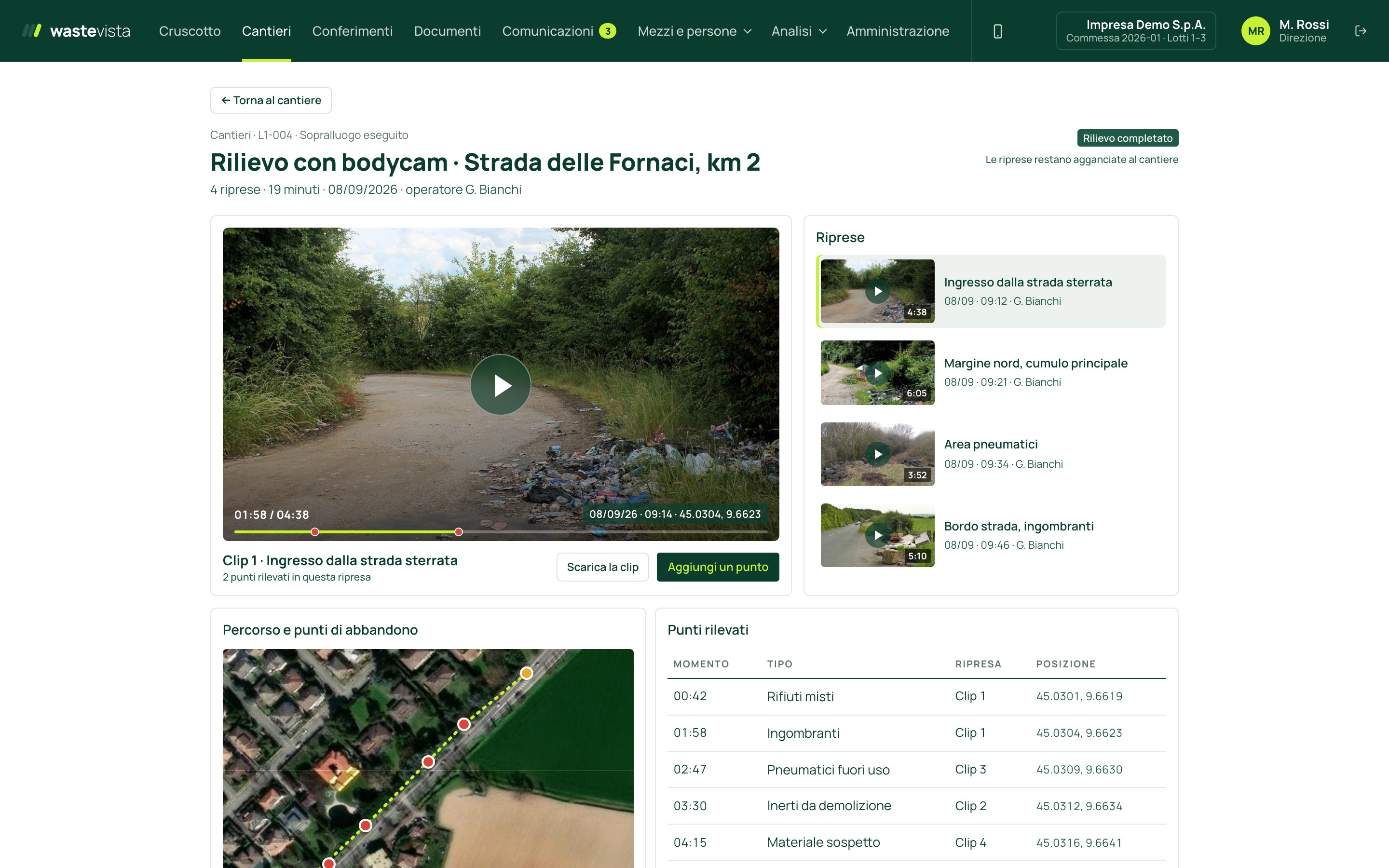
Position from the GPS tracker, inspections, insurance and register entries.
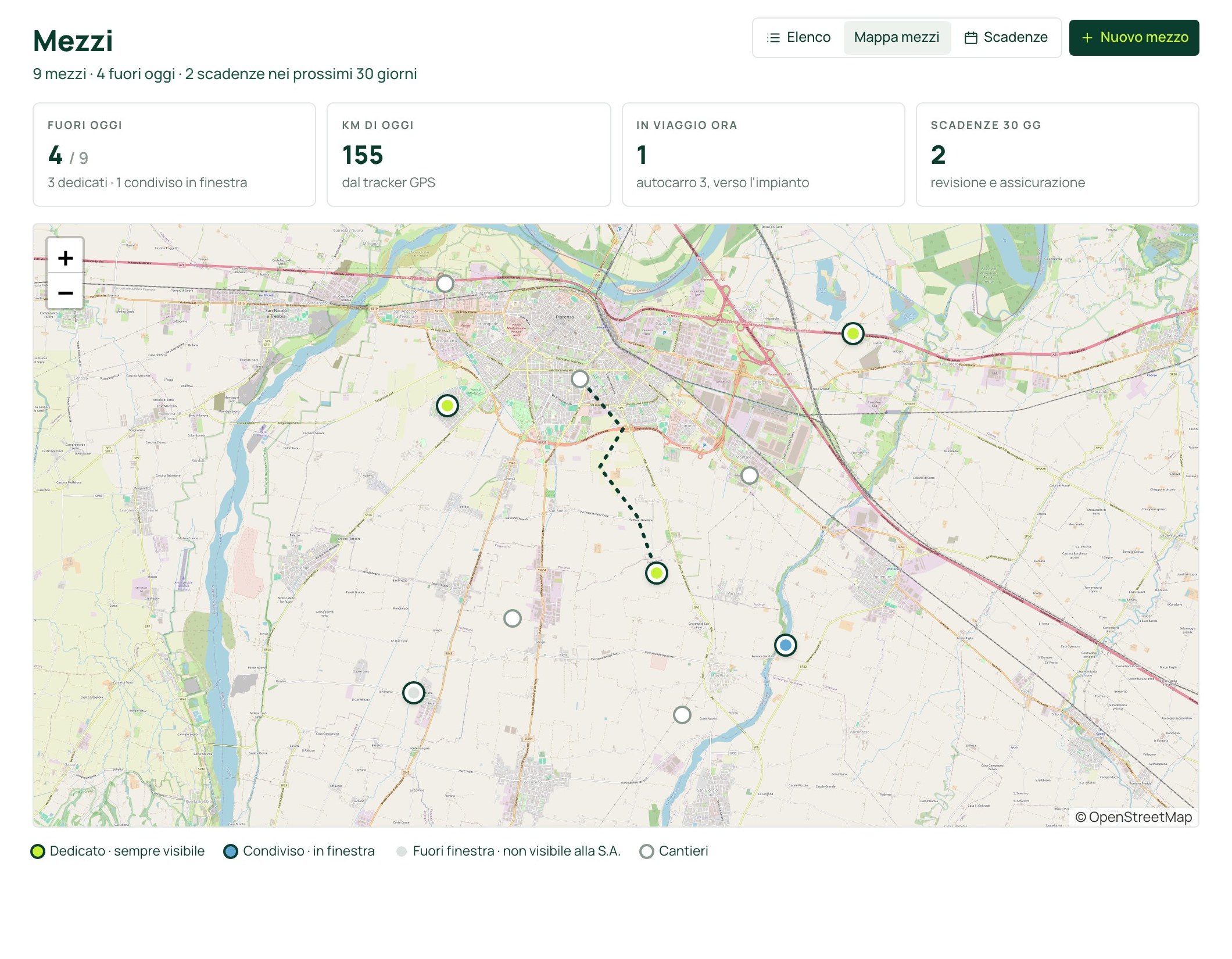
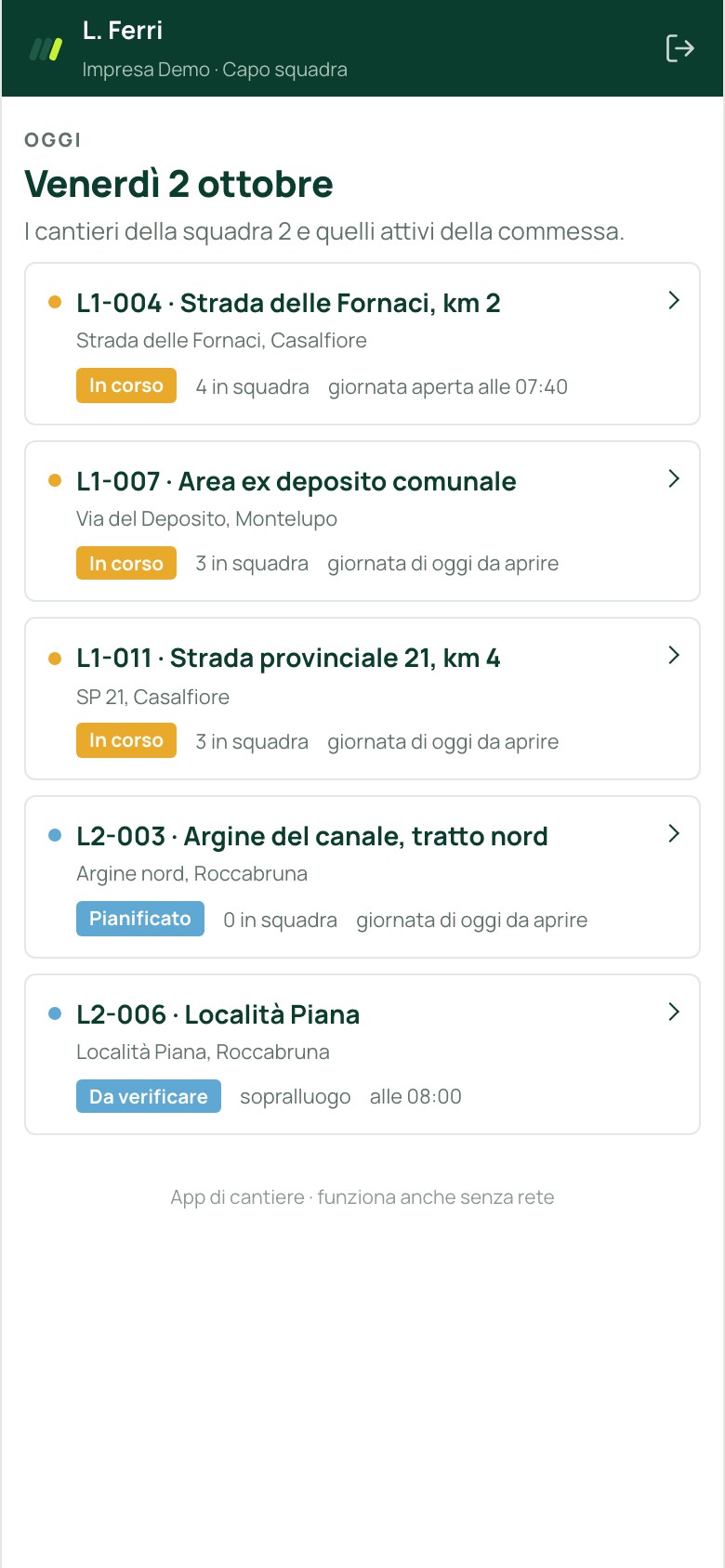
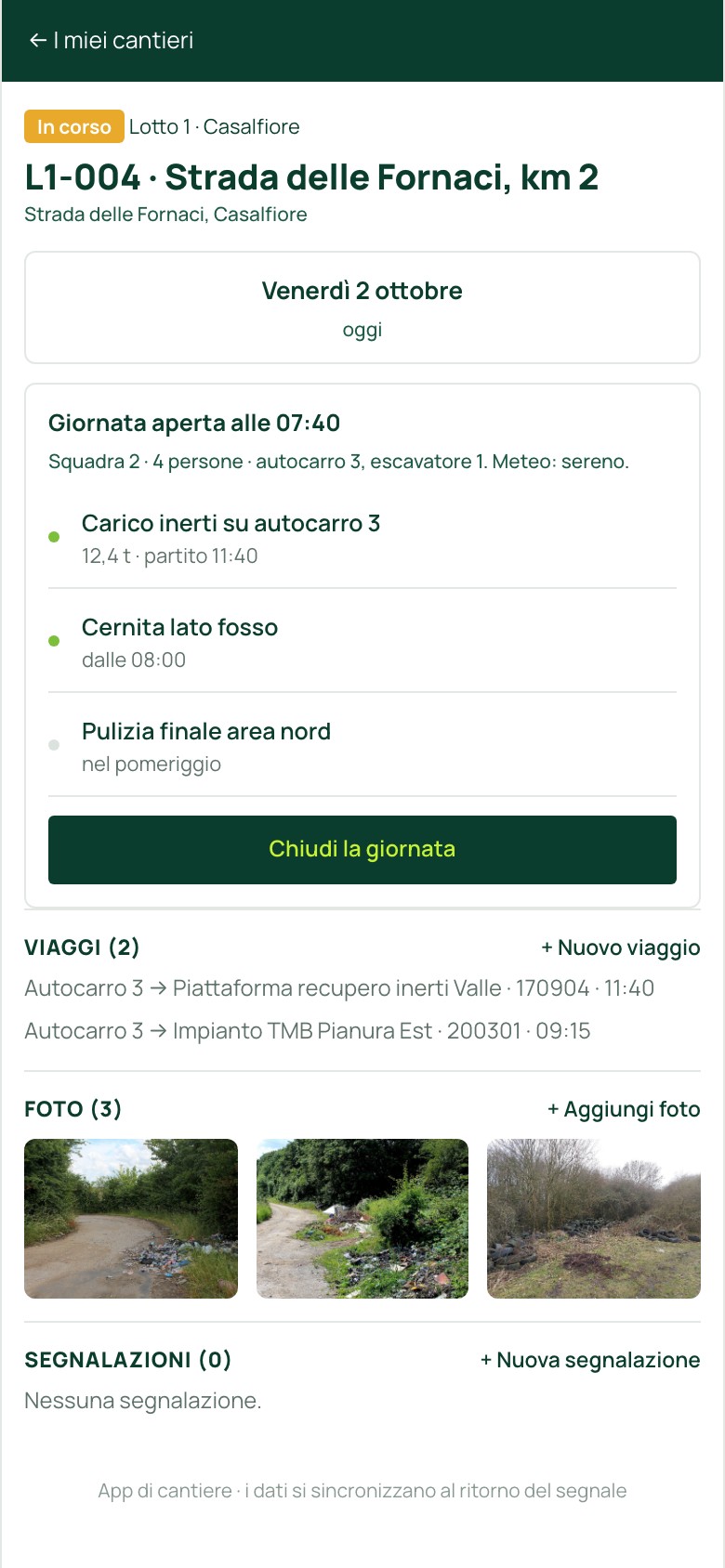
Crews open the workday and record trips, photos and reports from their phone. It works without a connection too.
How it works

Report
The contracting authority reports a site to clean up. The portal creates the worksite.
Contracting authority
Who it is for
They plan crews, vehicles and dates, upload waste forms and documents, answer for contractual deadlines and hand over the cleaned areas.
They manage the contract
Frequently asked questions
The company using the portal. Data can be exported at any time.
The first go-live, with accounts, worksites and documents, takes about a week.
Yes, with the waste management system and with vehicle GPS. Until the connection is active, data is entered manually.
Only users authorised on the worksite; every access is logged. Footage is made available to the competent authorities only at their request.
Based on the number of worksites and the modules activated. It is defined after the presentation.
After sending the form you can download the technical presentation as a PDF (in Italian).
Alternatively: info@wastevista.it
powered by Gruppo Cipriano